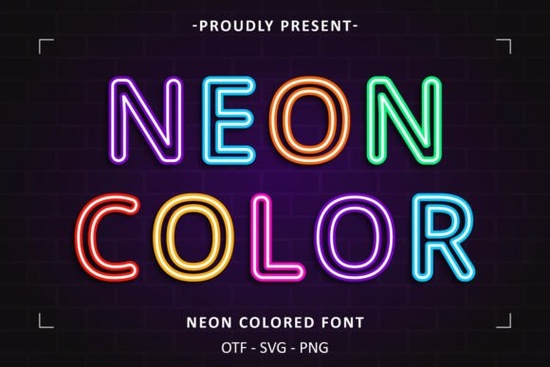
If you're looking for a font that brings instant energy and personality to your designs without needing extra graphics or effects the Neon Colored Font is a practical, ready-to-use option. It’s not just another colorful typeface: each letter comes pre-colored with vibrant, saturated hues inspired by real neon signs think electric pinks, glowing blues, and warm yellows all built into the font file itself. That means no manual coloring, no layering, and no guesswork when applying it in Canva, Adobe Illustrator, or Cricut Design Space. You type, and it appears in full color, right out of the box.
When does this font actually save time?
For crafters making vinyl decals, small businesses designing social media banners, or print-on-demand sellers building t-shirt mockups, speed matters. With most fonts, adding color means selecting text, choosing a fill, adjusting opacity, and testing contrast especially on dark backgrounds. The Neon Colored Font skips those steps. Its colors are embedded, so what you see in your design app is what prints or cuts. That’s helpful if you’re batch-creating Instagram story templates or preparing files for sublimation printing. You’ll also find it works well alongside other colorful fonts in your library pairing cleanly with bold sans-serifs or retro script styles without clashing.
What kinds of projects work best with it?
This font shines where visual impact matters more than subtlety. Think:
- T-shirt and tote bag designs (especially for music festivals, nightlife brands, or urban streetwear)
- DIY party signage like birthday backdrops or bar menus with a retro diner or arcade vibe
- Digital product covers for planners, Notion templates, or Canva social kits
- Cricut or Silhouette cut files for neon-style wall decals or acrylic lightbox letters
- YouTube thumbnails or TikTok overlays where bright, legible text grabs attention fast
It’s less suited for long paragraphs or formal documents this isn’t a body text font but that’s by design. It’s meant to be used sparingly and intentionally, like a highlighter for your message.
How does it compare to similar fonts?
Unlike outline or “glow” fonts that rely on effects (which can break when exported or scaled), this one delivers consistent color at any size. And unlike free neon-style fonts that often lack full character sets or proper spacing, this version includes uppercase, lowercase, numbers, and basic punctuation so you won’t hit a wall mid-project trying to type someone’s name or a date. If you’ve tried fonts like Neon Glow Font or Retro Neon Font, you’ll notice the difference in polish: tighter kerning, smoother curves, and colors that stay true across devices.
Will it work with my tools?
Yes if your software supports OpenType (.OTF) or TrueType (.TTF) fonts, you’re good to go. That covers most major platforms: Adobe Creative Cloud apps, Cricut Design Space (upload as system font), Silhouette Studio (with Basic Edition or higher), Canva (via “Uploads” > “Fonts”), and even Microsoft Word or Google Docs (though Docs only shows color in preview mode, not final export). Just install it like any other font, then select it from your font menu. No plugins, no subscriptions, no extra setup.
A quick note about licensing
The license allows personal and commercial use including selling physical items (like mugs or shirts) and digital products (like Canva templates) as long as you’re not reselling the font file itself or claiming it as your own. Always check the specific license details on the product page before launching a large-scale campaign, especially if you’re planning POD store listings or client work.
If you're already using other colorful fonts in your workflow, this one slots in naturally no learning curve, no compatibility headaches. It’s the kind of tool that makes sense the moment you try it: simple, reliable, and quietly effective.
Before you download: Double-check your project background. Neon colors pop best on dark or medium-toned surfaces not white or very light backgrounds so test a few combinations first. And if you plan to cut vinyl or heat transfer material, do a small test run to confirm how the colors translate in your machine’s preview mode.
Explore Design Trt Burn Font: Design Creativity & Usage Ideas
 Saturday Font: Creative Project Ideas & Free Downloads
 The Moment Request Font: a Creative Typography Resource
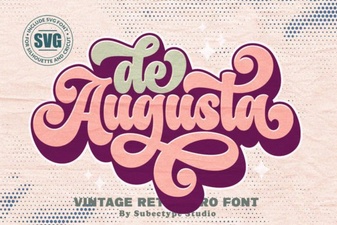 De Augusta Font: a Guide for Design Projects
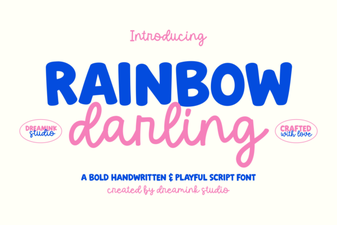 Craft Designs with the Rainbow Darling Duo Font
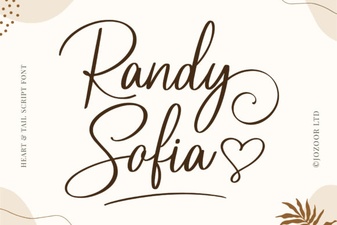 Randy Sofia Font: Creative Display Typography Projects